

Designing Alexa's
Enterprise Console
A M A Z O N A L E X A E N T E R P R I S E · 2 0 2 4 - O N G O I N G
OUTCOMES
6–12 month deployments → under 30 days · 6.3/7 staff CSAT · senior living GA Launch in March 2026
ROLE
Lead Product Designer with PM, Engineering, Solution Architects, Research
CRAFT
No-code publishing · AI content pipeline · enterprise systems
An activities director at a senior living community shouldn't need a developer to tell Alexa about tomorrow's yoga class.
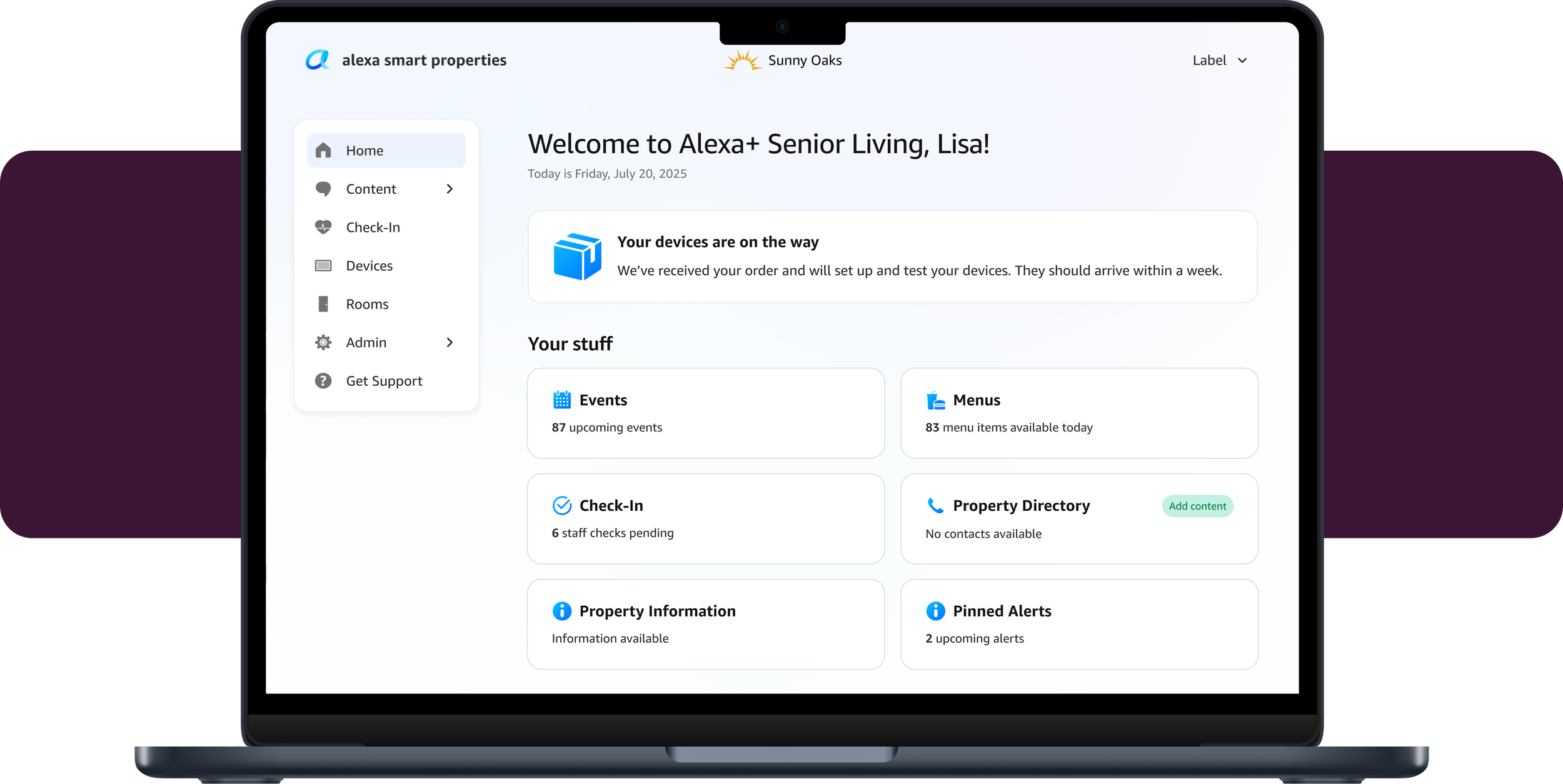
Alexa Smart Properties puts Echo devices in hotel rooms and senior living apartments, so residents can just ask what's for lunch. But every deployment was a custom engineering project — six to twelve months, one property at a time. This rebuild had to do two things at once: turn that build into a setup, and bring Alexa+ to these customers for the first time.
I lead design for the console: the off-the-shelf platform where staff configure their own property, publish into Alexa+, and review what it generates before residents see it — no engineer, no ticket, no code.
T L D R ;
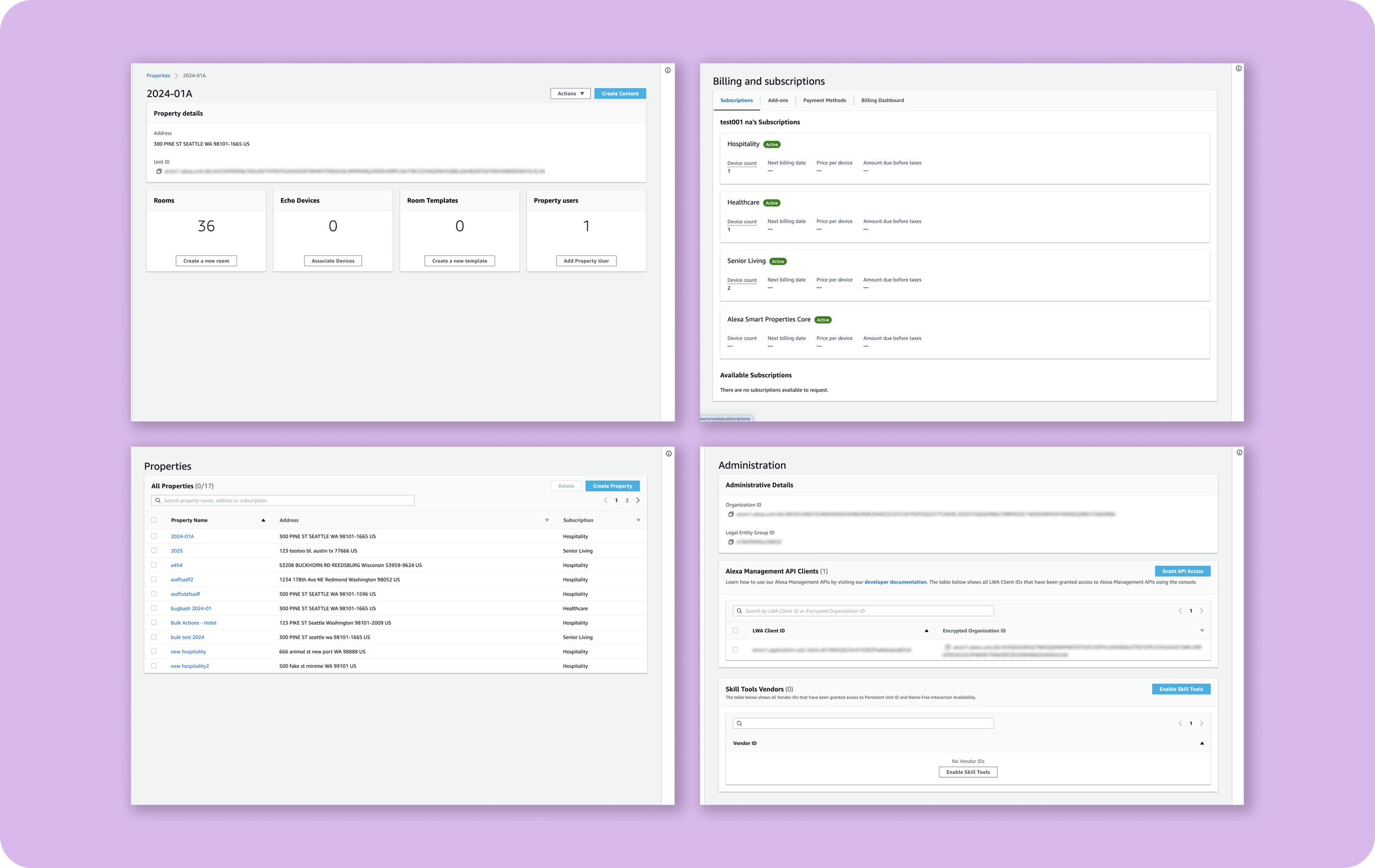
Every screen was organized around devices and infrastructure. Everyday staff would easily get lost in this console.

"What are my residents hearing from Alexa today, and how do I change it?"
That's the question the console had to answer.
The goal: Get a property from purchase order to live Alexa+ experiences in under 30 days with no code and no engineer.
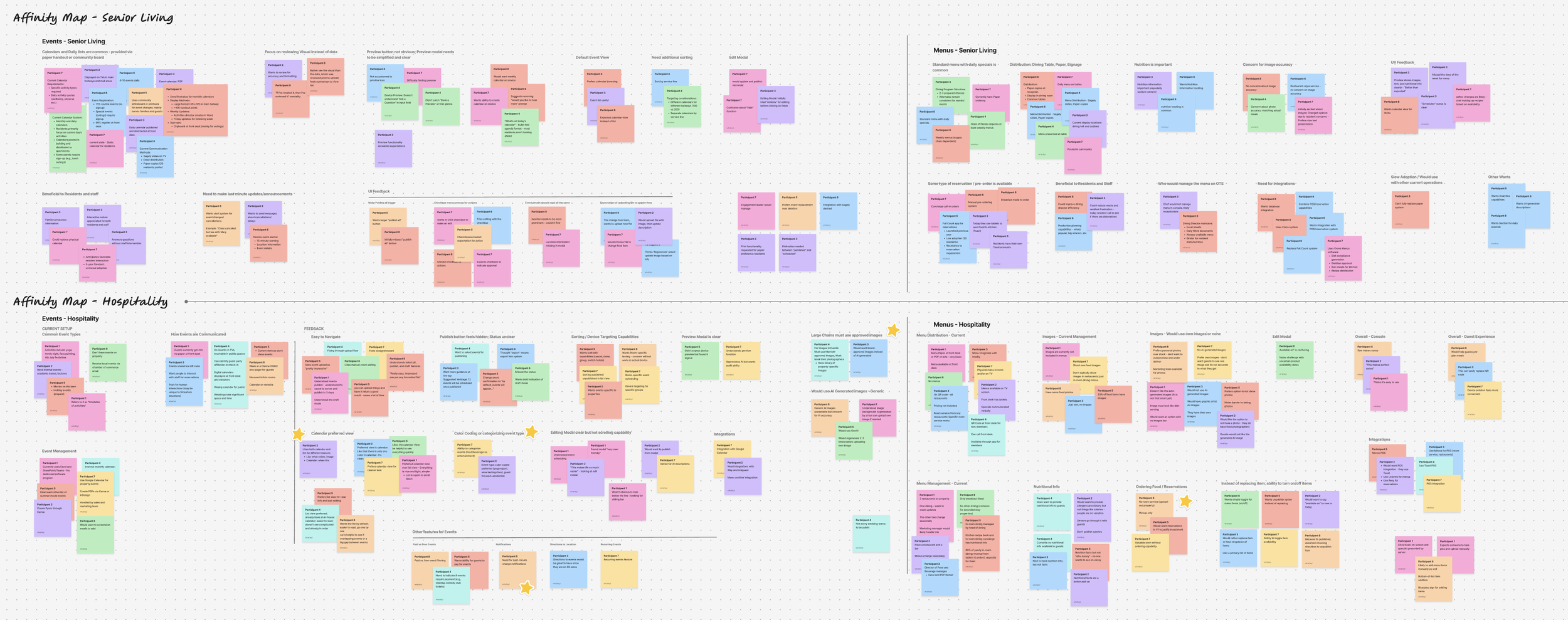
I ran three rounds of testing with the people who'd actually use it. Hospitality staff were already managing events and menus in their own property systems and asking them to maintain a parallel copy in a new tool was a non-starter.
Senior living produced sharper findings. Staff wanted print output, because the paper handout isn't going away. And a surface I designed to help staff track which residents had engaged with their Alexa device was, to participants, a walking-rounds workflow. Same words, different job.
P I L O T C O N S T R A I N T → R B A C R O A D M A P
One role serves three people at once.
PRIMARY USER
Activities Director
"How can I easily inform residents of activities and events?"
TECHNICAL USER
IT Admin
"Are all devices online and healthy? Is setup complete across the building?"
LEADERSHIP
Executive Director
"Are guests and residents more engaged on the property?"
An activities director, an IT admin, and property management share the same point of view in the console at pilot. Properties that need deeper control can still manage devices and infrastructure through the existing console or APIs. I set a hard priority order for the dashboard — creation first, infrastructure second, everything else after — so every ambiguity got resolved against that order rather than re-litigated per screen.
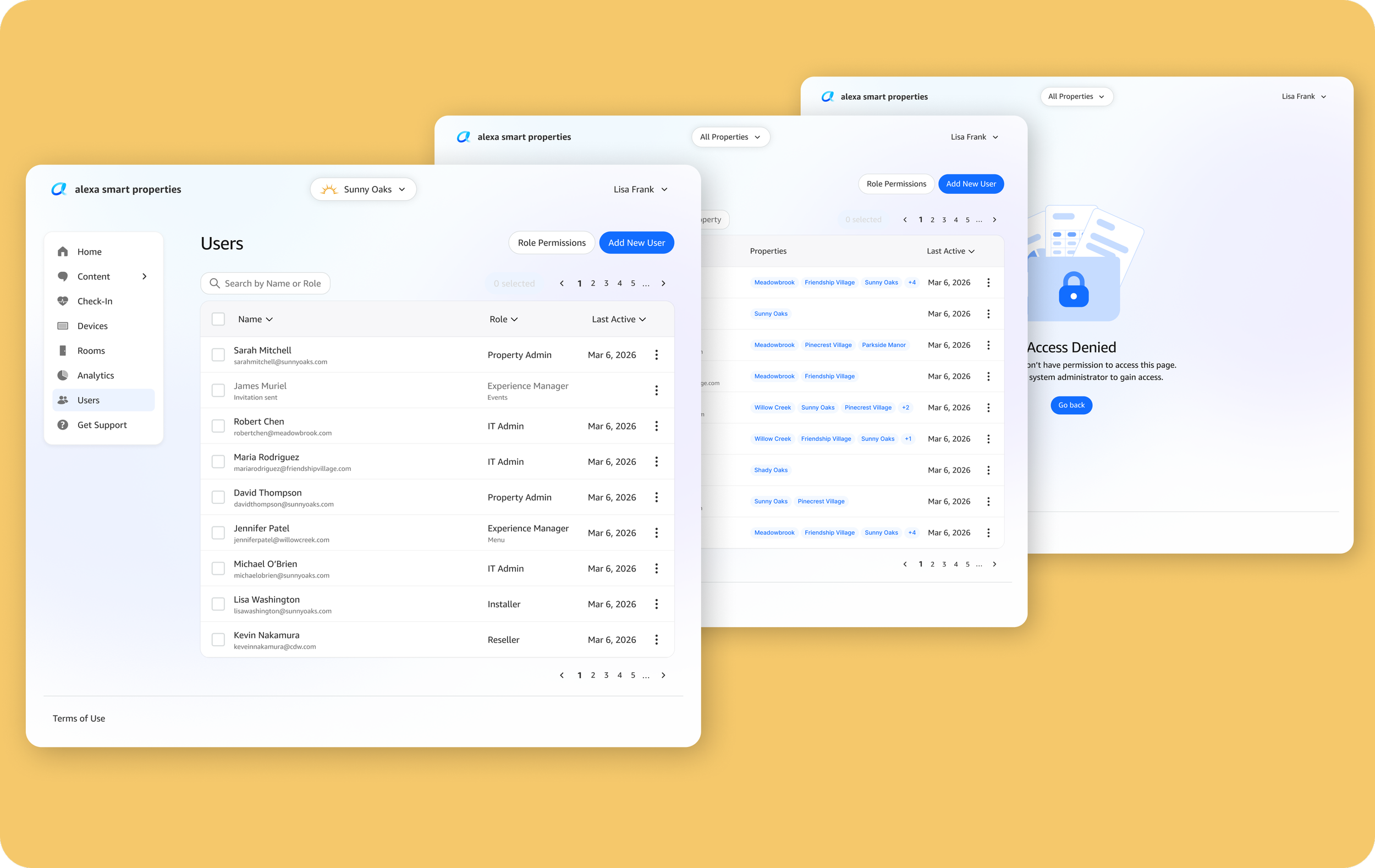
Role-based access control is next: each persona gets its own focused view, so an activities director never navigates past device infrastructure to publish a menu.
01 Let staff create and publish content.
02 Surface critical infrastructure issues.
03 Manage live experiences.
04 Stay contextual to where the property is in its lifecycle.
ONBOARDING — URL ENTRY → CONFIRM → PREVIEW → SUBMIT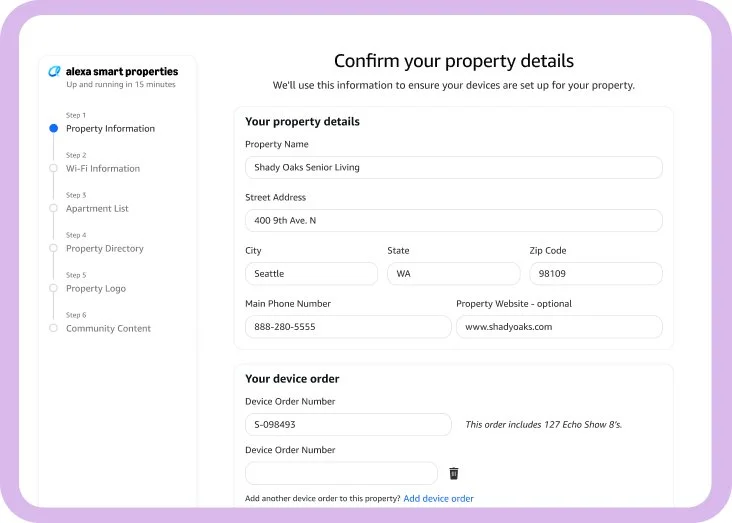
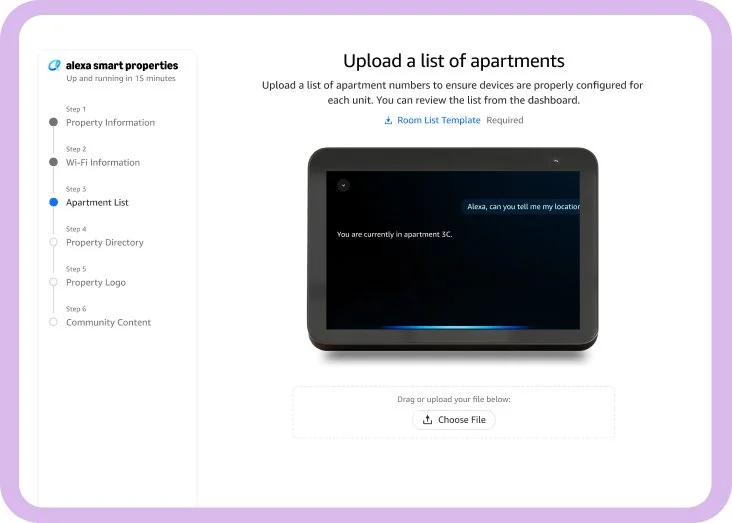
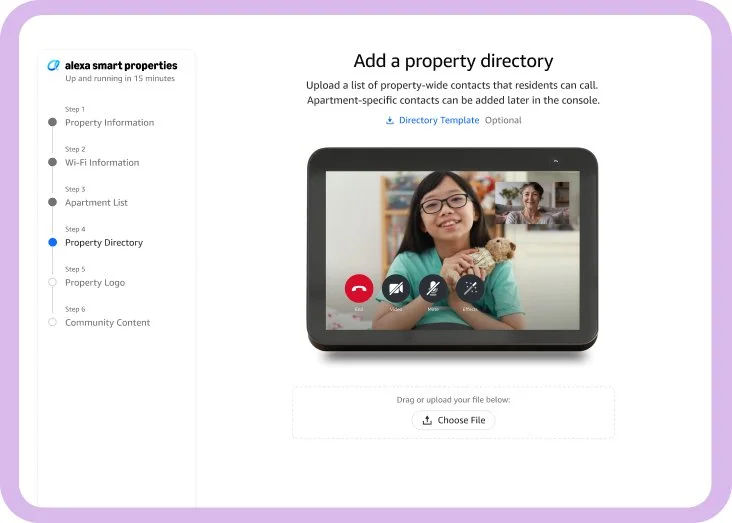
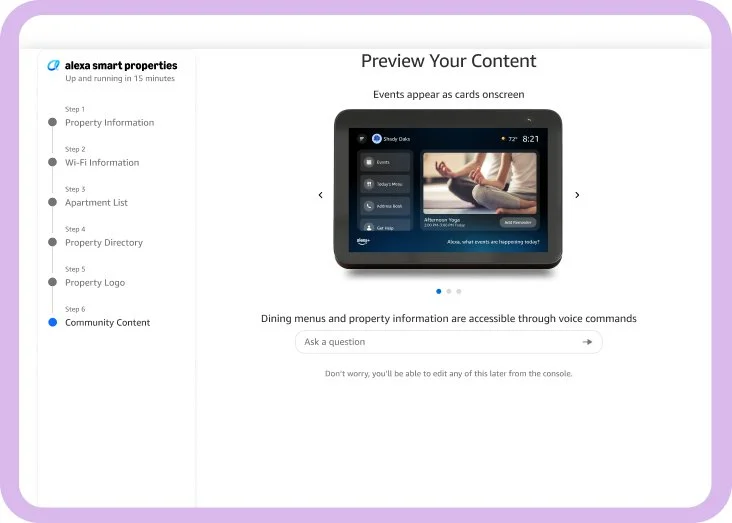
A property enters their information and uploads documents and assets like logos, room count, events calendars, etc. They confirm or correct what we found in their files and then preview what the content will look like before anything goes live.
The alternative was a form that needed to be processed. This new experience requires no ticket, no engineer.

C O N T E N T P I P E L I N E
One flyer in. AI writes creates the visuals and what Alexa will say.
screen
A card sized for every Echo Show display in the building.
voice
The answers Alexa gives when residents ask about the event.
image
Generated to guidelines on inclusive representation and resident dignity.
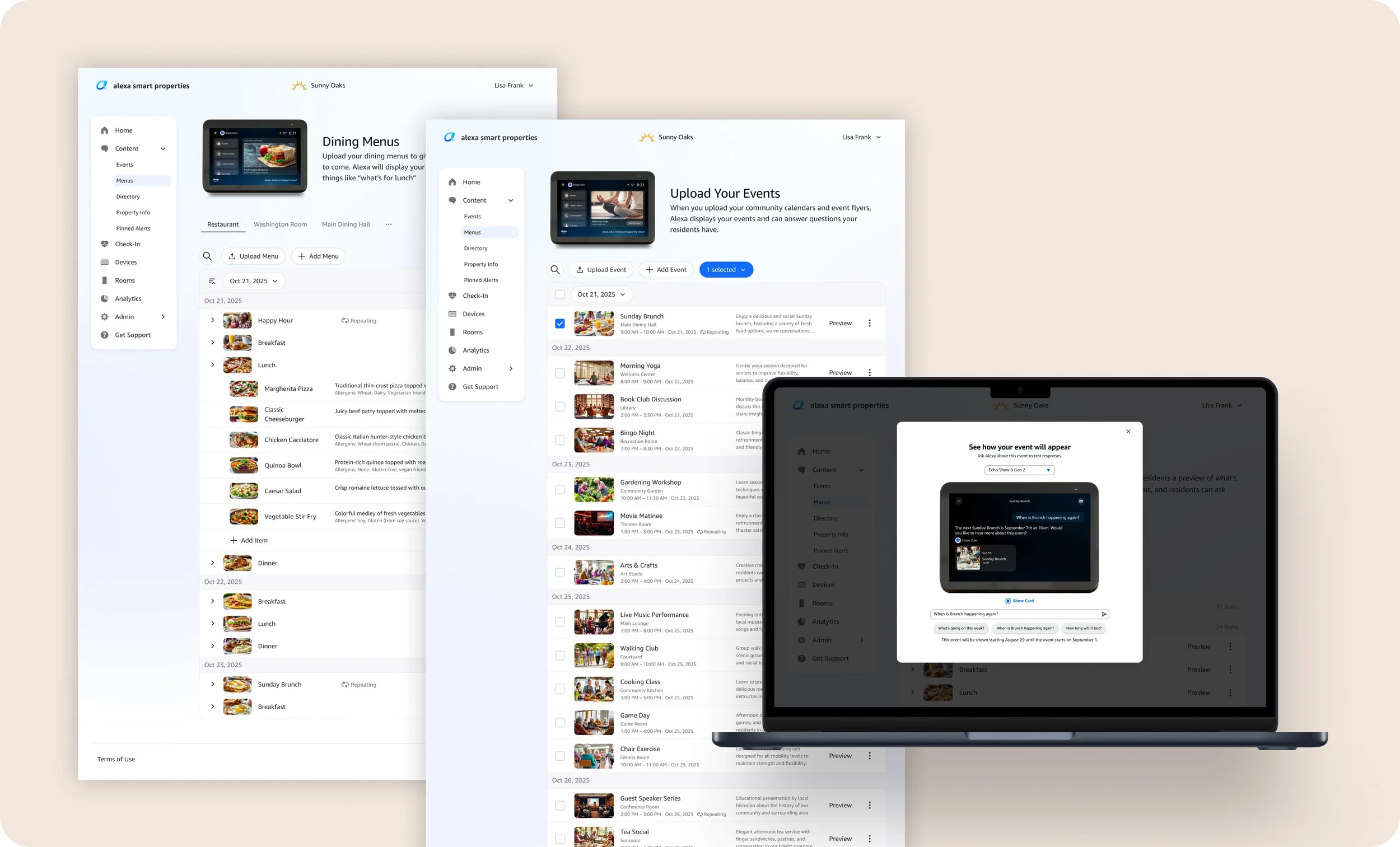
Staff upload a PDF, a Word document, or a photo of a physical flyer. The LLM generates all three outputs and puts them side by side for review before anything reaches a resident.
The review layer is the design challenge, not the pipeline. Device visuals are easy to check — you can see it. Voice content is invisible until a resident asks and the LLM gets it wrong, so the preview has to make an AI-generated audio response reviewable at a glance. Staff won't publish what they can't verify, and nothing reaches a resident that a human hasn't approved.

Staff reported concrete benefits: fewer front desk calls, less paper, and meaningful accessibility gains for residents with low vision.
Residents rated the experience 4.8/7. Complaints clustered around content accuracy and response latency — LLM and infrastructure limits we identified and addressed in beta — plus a transactional layer that wasn't in scope.
Residents wanted to reserve a table and sign up for an event, not just read about them.
B E T A — T W O S E N I O R L I V I N G C O M M U N I T I E S
6.3/7
staff rated the overall experience
6–12 months → under 30 days
deployment timeline
Naming is design work, and it's cheaper than teaching.
A mismatch between a label and a workflow cost us a round of confusion that no amount of onboarding copy would have fixed.
Making AI publishing effortless raises the stakes on review.
We built a system where a flyer becomes a voice response in seconds — which means the review layer isn't a safety net bolted on at the end. It's the thing that makes the speed usable at all.